Tampilkan postingan dengan label SEO. Tampilkan semua postingan

Alexa Rank - SEO Tool for Website Popularity Measurement

There are many website analysis tools out there. One of the most famous is Alexa. This Amazon-owned marketing tool provides complete data on a website and also gives you a website ranking based on their data, called Alexa Rank.


https://www.practicalintroduction.com/2021/08/alexa-rank-is-seo-tool-that-utilized.html


What is Alexa Rank?

Alexa Rank is a marketing tool that uses website traffic data to rank popular websites. Alexa Rank is widely used by businesses to analyze the competition. Alexa Rank is determined by combining data on the estimated number of website visitors and how many pages are visited by website visitors. Alexa itself was originally a company in California that was founded in 1996 and was taken over by Amazon in 1999. Alexa is focused on collecting website traffic data. 

Initially, you will need toolbars and browser extensions to collect data. With this data, Alexa helps businesses grow. One of them is the Wayback Machine, an Internet archive. But their most popular product is Alexa Rank – a metric that ranks websites according to their popularity or how many people have accessed and used the website in the last three months.


How is Alexa Rank Composes Ranking?

According to Alexa's official explanation, their ranking is calculated by combining the number of daily visitors with the number of page views a website has had in the last three months. This data is collected from internet users who use one of the 25,000 browser extensions on Google Chrome, Firefox, or Internet Explorer that install the Alexa script on it. Then Alexa uses their algorithm to correct the data that it feels is biased to provide more accurate data. 

In addition, there are several websites that have Alexa coding on their websites so that Alexa knows how many people are coming to the website more accurately. Because the data collected from the use of internet users is only an estimate. There are also those who say that Alexa uses data from third parties in order to provide data from wider sources. You can immediately use Alexa Website without having to install extensions tools or widgets. The rankings are available globally and by country.


How to Check Alexa Rank

You just need to visit the official Alexa website. As you can see in the screenshot above, you just need to enter the domain of the website you want to check and click Find. After that, you will see a results page that contains detailed data about the website. For this article, we included Wikipedia.


https://www.practicalintroduction.com/2021/08/alexa-rank-is-seo-tool-that-utilized.html


The first thing you will see is the global ranking and the ranking of the website in the country you choose. 


https://www.practicalintroduction.com/2021/08/alexa-rank-is-seo-tool-that-utilized.html


In addition, Alexa also provides website visitor data, which, unfortunately, can only be seen if you use Alexa's paid plan. However, you can see the geographic location of Wikipedia visitors, and the details are on the right. For free access, they only show the five countries that access Wikipedia the most. 

In the next section, you can see the engagement on the website you entered. As you can see in the image below, you can see the bounce rate, the number of pages accessed by each visitor, and how long someone spends on Wikipedia.


https://www.practicalintroduction.com/2021/08/alexa-rank-is-seo-tool-that-utilized.html


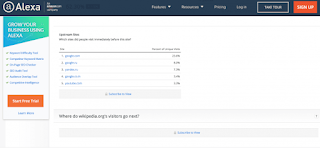
Below that, you can see where people found access to the Wikipedia website and what keywords people used to find Wikipedia.

https://www.practicalintroduction.com/2021/08/alexa-rank-is-seo-tool-that-utilized.html


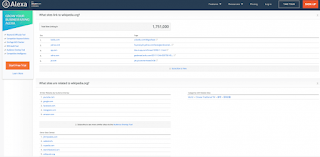
If you want to know more, Alexa also provides data about what websites visitors access before they enter the Wikipedia website and what websites they visit after they leave the Wikipedia website (paid feature).

https://www.practicalintroduction.com/2021/08/alexa-rank-is-seo-tool-that-utilized.html


Not only that, but they also tell you which websites provide backlinks to Wikipedia and other websites related to Wikipedia.


https://www.practicalintroduction.com/2021/08/alexa-rank-is-seo-tool-that-utilized.html


Alexa also tells you which pages or subdomains (if any) your website visitors have visited. After that, you can see that Alexa also tells you how fast (or slow) the website is loading.


https://www.practicalintroduction.com/2021/08/alexa-rank-is-seo-tool-that-utilized.html


Finally, Alexa tells you where you can get more information about the website you are checking. There are also additional demographic data about website visitors at the very bottom.


How to Increase Alexa Rank

If you use WordPress, you can directly install the Alexa Rank Widget plugin. Here are some ways you can increase the Alexa Rank of your website:


Install the Alexa toolbar

As mentioned earlier, in order for your website data to enter the Alexa database, you need to install the Alexa toolbar or extensions on your browser. So the first step you have to take to increase your Alexa rank is to install the Alexa toolbar. Every time you visit your website, the data will be entered into the Alexa database. This can help the Alexa Rank of your website to experience a significant increase. To install the Alexa toolbar, all you have to do is visit the Alexa toolbar download page and follow the steps.


Install the Alexa widget on your website.

In addition to the toolbar, you also need to install the Alexa widget on your website. Why? The Alexa toolbar only records the visits that come from your browser. So, if your website visitors do not have the Alexa toolbar, their visits will not be counted by Alexa. Then, how to solve it? Install the Alexa widget on your website. The Alexa widget on your website counts all visits to your website. Although there is still debate about the accuracy of Alexa Rank, Alexa can be a tool that helps you evaluate a website. Hope this article helps. Thank you all for visiting my blog and wait for the next update. 😊


Share:

Basic Understanding of Dmain Name Server DNS Blacklists

practicalintroduction.com


It is one of the most efficient ways and spam filtering techniques widely used on mail servers to block unwanted emails for anti-spam countermeasures.


Dmain Name Server DNS Blacklist are used to publish lists of Internet Protocol (IP) addresses of known spammers, abuses, open relays, proxy servers through the DNS (a.k.a. Domain Name System, Domain Name Server or Domain Name Service) that can be queried by software on the Internet. Once it's configured, it can automatically reject or flag email messages as spam, if the sender's IP address is listed on one or more DNS Blacklists.


Each Dmain Name Server DNS Blacklist has its own criteria to remove any of the listed IP address in their database but in most cases have the same way of interrogating the list. As a subscriber to Dmain Name Server DNS Blacklists, it is advised to examine their rules and policies before using them.


How Does It Work?

practicalintroduction.com


It use Dmain Name Server DNS to transmit information to check if mails should be accepted or rejected.


For example, server A send mail to server B, server B analyze the server A IP address information and execute query against a list of chosen domain name system blacklist servers. 
Let's say if server A IP address is

"122.252.246.234"

append the domain name to become

 "234.246.252.122.dnsbl.example.com"

with octets listed in reverse order. If it resolves, the IP address has been blacklisted or is not, then it isn't blacklisted.


What is the Disadvantage?


Majority of Dmain Name Server DNS Blacklist services available out there either not bother with maintaining, server goes down frequently or have been retired. You are advised to take a tour on various search engines to find and test out whether or not it will function properly before putting any of Dmain Name Server DNS query zone into your list. Also note that some of them contains a higher false positive (email messages believed to be legitimate being filtered as spam) rate than others that may have resulted in innocent IP addresses being blocked accidentally. This may lead to a situation where your mail server will reject mails you would like to receive. The other problem is that you must take the right decisions to accept or reject mail from the sender.


The main purpose of using Dmain Name Server DNS Blacklist filters is to prevent network resources wasted on unsolicited junk mail traffic. In short, Dmain Name Server DNS Blacklist can help keep you away from the spammers.


Current active Dmain Name Server DNS Blacklist query zones can be found on DNSBL Lookup. (By: Indrawan Vpp)


Share:

Advantages of Google Analytics 4 (GA4) - (Latest Update)

Google Analytics has just released the latest version of its service, Google Analytics version 4 or referred to as GA4.  GA4 was released in October 2020, and still needs further improvisation.


Even though it's still a baby, in fact GA4 can offer various advantages that you can't find in GA3 or Universal Analytics.  What are they?


5 Advantages of Google Analytics 4 (GA4)


https://www.practicalintroduction.com/2021/08/%20Advantages-of-Google-Analytics-4-GA4-Latest-Update.html


In the previous version of analytics, you are certainly quite dizzy if you have to do activity tracking, especially those related to clicks.  In addition, Universal Analytics also has limitations that can make your data difficult to digest.


One of the changes that are quite notable is the abolition of the concept of Bounce Rate or bounce rate.  Instead, GA4 provides the metric Engagement Rate, which is the ratio of visitor activity to total Page View.


Of course this is easier to understand because it uses a "positive" understanding rather than a "negative" understanding.  And not only that, here are 5 new features provided by GA4 to help your website tracking needs:


Automatic Track Click

If in the previous version you couldn't get click event information automatically, then in GA4 clicks can be tracked automatically.


This is thanks to the presence of the enhanced measurement feature in the GA4.  You no longer need to manually define click events, either via Tag Manager or manually with the help of javascript.


It's still not perfect, and not all types of clicks can be read automatically.  But for those who are not very familiar with the technology from Google Analytics, this feature will certainly be very helpful.


Page View Becomes Event


In previous versions, Page View was categorized in session level.  In GA4, Page View has become the same event as click or visit.  This makes it easier for you to collect data, considering that you don't have to consider complex scopes like in previous versions of Analytics.


Page View itself also has parameters, just like events in general.  Makes checking data in Page View easier.


Support Debug View


In Google Analytics version 3, you can't debug easily.  It's still possible to debug, but you need sufficient advanced coding knowledge to understand what it means, even for code knowledge outside of analytics itself.


In GA4, that's not the case.  Because the debug method in GA4 already supports a much simpler Graphic User Interface.  If you've ever used preview mode on the Facebook Pixel or Tag Manager, then GA4 is not much different than the two.


Can Display Full URL Without Additional Configuration


This is the most exciting thing from GA4, you no longer need to set additional filters if you want to know the full URL of the page view or event that occurs.


In GA3, you can only see the page path of the displayed URL.  Of course, you can still set filters manually to get similar reports, but you still need extra effort and special knowledge to get the data you want.


This feature is especially helpful if you are using a subdomain (example: blog.example.com).  Given the subdomain will not be shown in the usual Analytics reports.  But in GA4, all URLs will be displayed full by default.


Flexible Event Parameters


In GA3, you are only limited to 4 event parameters, namely Category, Action, Label, and Value.  In GA4, now you can add event parameters according to your own definition and of course there is no standard in naming these events.


Upgrade Google Analytics to GA4 with Setup Assistant


Interested in upgrading?  If you are already using GA3 with gtag.js, then you can easily upgrade via the Setup Assistant which you can find in the Admin menu in the Property section.


You then just put the GA4 config gtag into the global site tag that you have installed, or as simple as adding the GA4 tag in Google Tag Manager, if you are already using it.


Share:

Happy Wolrd Teacher Day

Daily Page View

Label

Adobe Acrobat Adobe Photoshop Alexa Rank Andorid Application Art Austria BUMN Beginner Belgium Blog Community Blogger Bupati Gresik CPNS/PPPK Canada Coin Market Cap Computers Cosmology Cryptocurrency Dancing Denmark Doctoral Doker Education Educational Excel Excel Table Features Film Finland French Gadget Gallery Garuda Emas Germany Google Analytics Google Form Hardware Homestay Hong Kong Ilovepdf Indrawan Vpp Interior Design Ireland Italy KKPR dan PKKPR Kampung hijau Karang Taruna Karir/Career Keyword Keywords LKPM LaTeX Linux Lowongan Kerja BUMN/SWASTA Mac Majalah Tech Material Physics Material Physics. Mechanical Engineering (ME) Microsoft 365 Microsoft Excel Microsoft Office Microsoft PowerPoint Microsoft Word NFC Nero Nero Burning 2021 Networking New Technology OSS RBA OTOMOTIF Operating Systems Optic PDF PT Aerotrans Services Indonesia (Garuda Indonesia Group) PT Astra Tol Nusantara (ASTRA Infra) PT Indomarco Prismatama (Indomaret Group) PT Indonesia Epson Industry PT Jakarta Industrial Estate Pulogadung PT Pertamina Training & Consulting (PTC) PT. Indofarma (Persero) PT. Kimia Farma Group Perizinan Berusaha Persetujuan Lingkungan Pinjaman Online Posgraduate Postgraduate PowerPoint Presentations Profil Perusahaan/Company Profil Profil-Perusahan Publisher Pyrolysis Quantum Computing Quantum Physics Quiz Renewable Energy Research SEO SWASTA Scholarship Semi conductor Semiconductor Sertifikat Halal Smartphone Spintronic Study Abroad Super Capasitor Superconductor Tata Cara Pendaftaran Surat Izin Usaha Industri (SIUI) Technology Tecnology Thailand The Best Trip & Travel Tutorial United Kingdom United Stated United States VGA card Website Windows 365 Windows Tips Word Document WordPress Zero Waste chromium tricks font iphone iphone 13 Pro iphone 13 Pro Max iphone 13 Pro Max gsmarena online zodiak